Every mission needs aMAJORDOMO.
One calendar for your whole week — shifts, training, study, projects and money. Built for people who work nights, doubles and hours they don’t choose.
Free during the beta. Nothing to download — it opens here, in your browser, and can live on your home screen. Set up in under a minute.
A 13-hour night shift goes in as one block. The app adds the sleep that follows it. Training moves to a day when you have actually recovered. That’s the whole idea.
THE WINGS
Five parts of the app, all on the same calendar. Switch off the ones you don’t use.
THE GROUNDS
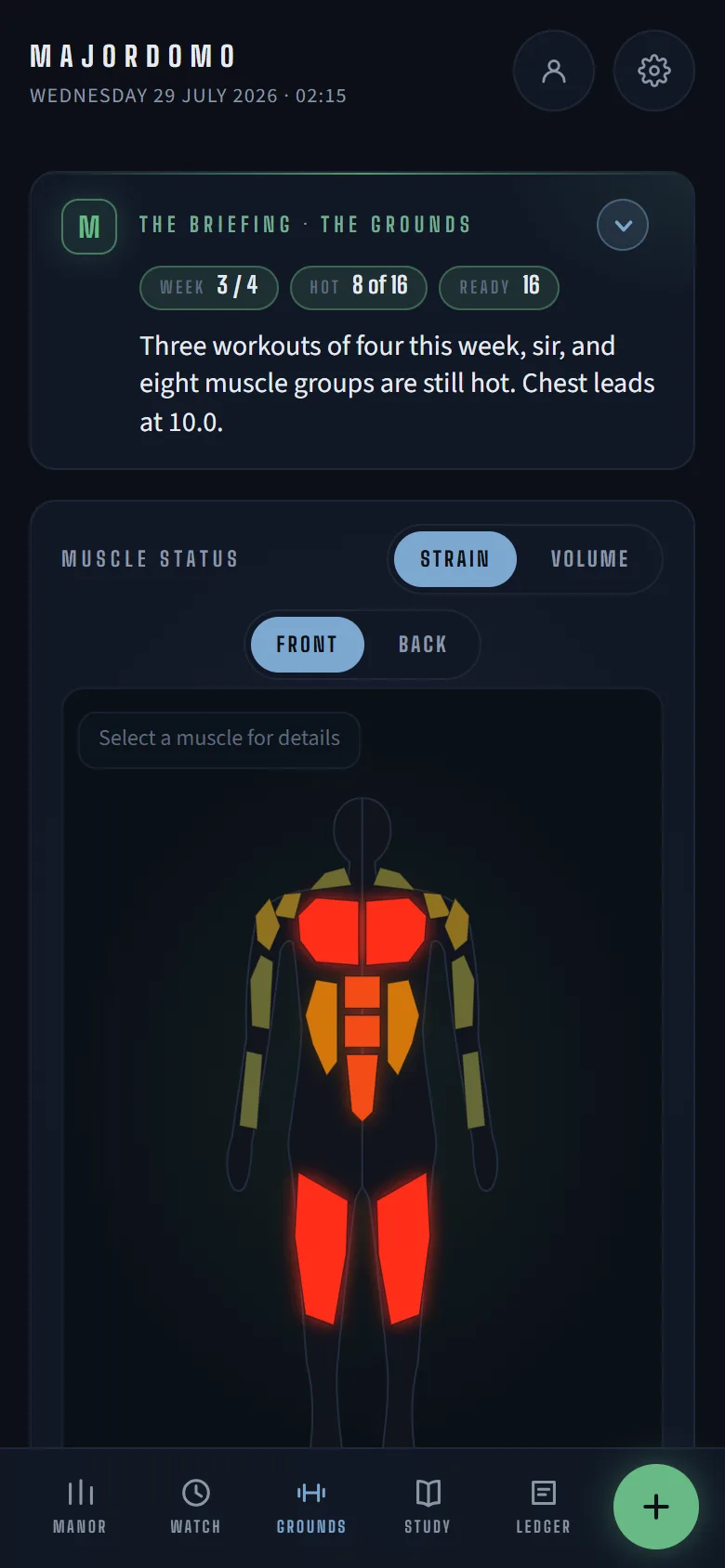
Log a workout and it tracks the strain on each muscle, how recovered you are, and when it’s smart to push — around the hours you actually work. Your daily food targets come from the same sessions.
THE WORKSHOP
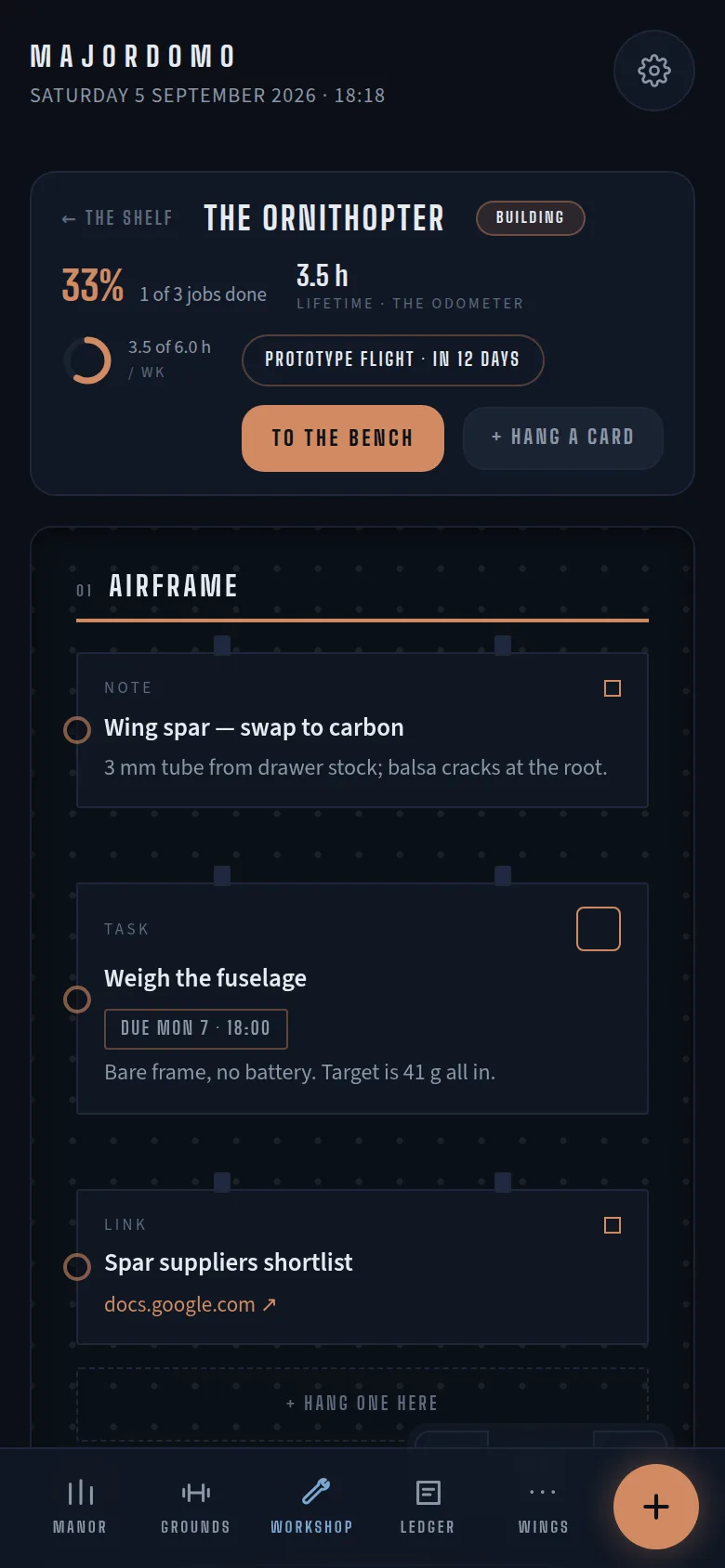
Side projects, each with a board for notes and tasks, a weekly hours goal, and milestones on the calendar. Share a project and your crew works off the same board.
THE LEDGER
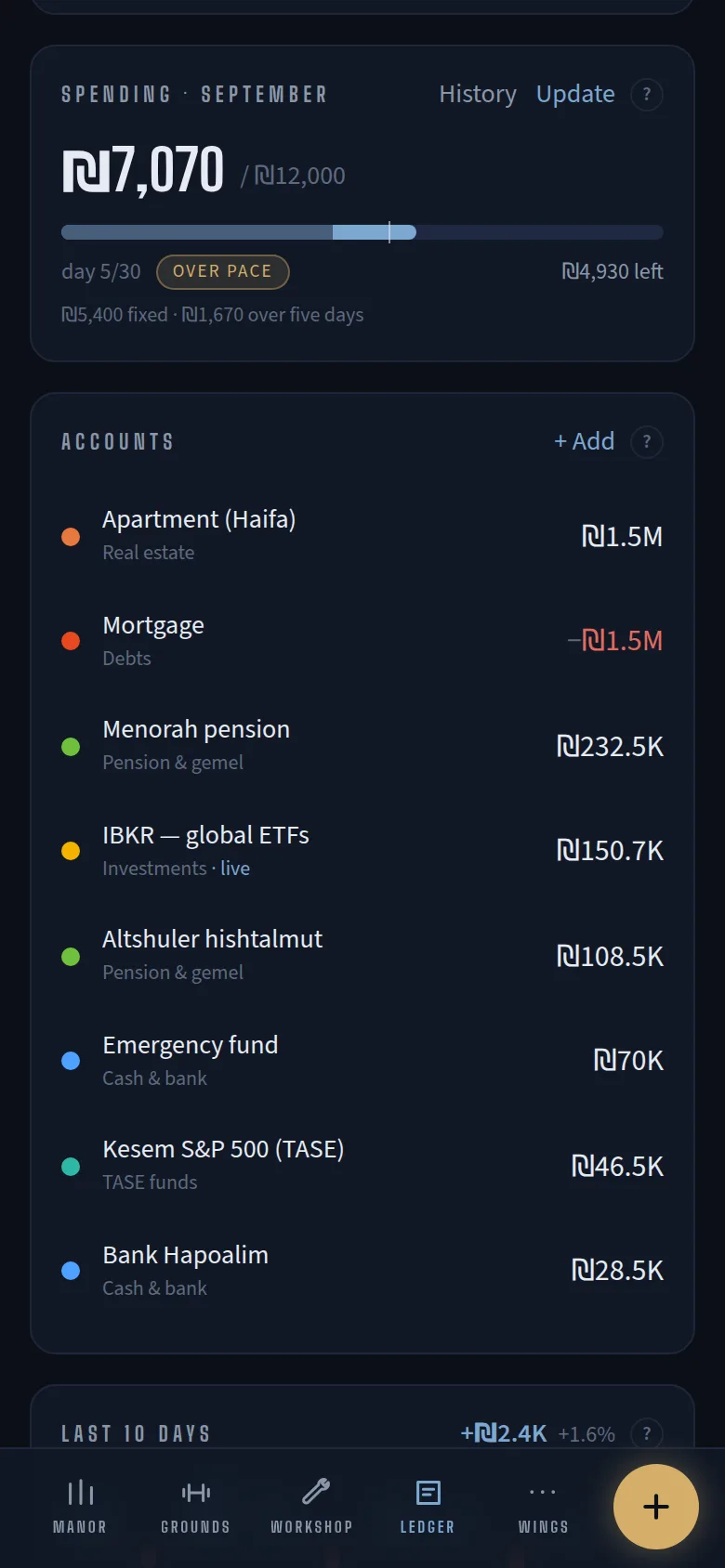
All your accounts in one place: what you’re worth, what you’ve spent this month, and whether that’s on pace for your budget. Keep a note of the investments you hold, and what you paid for them.
THE STUDY
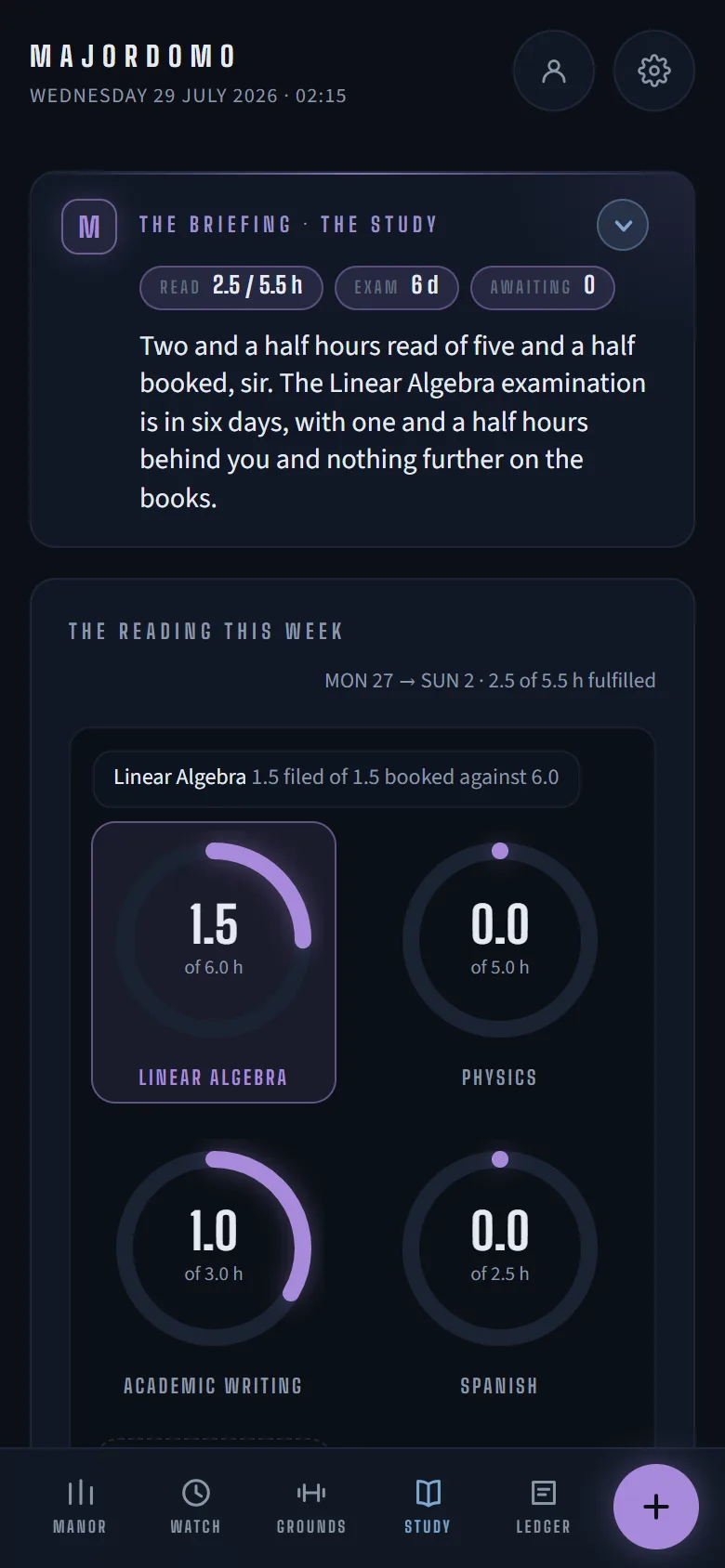
Exam dates hold the line; study blocks find the cracks in the week.
THE WATCH
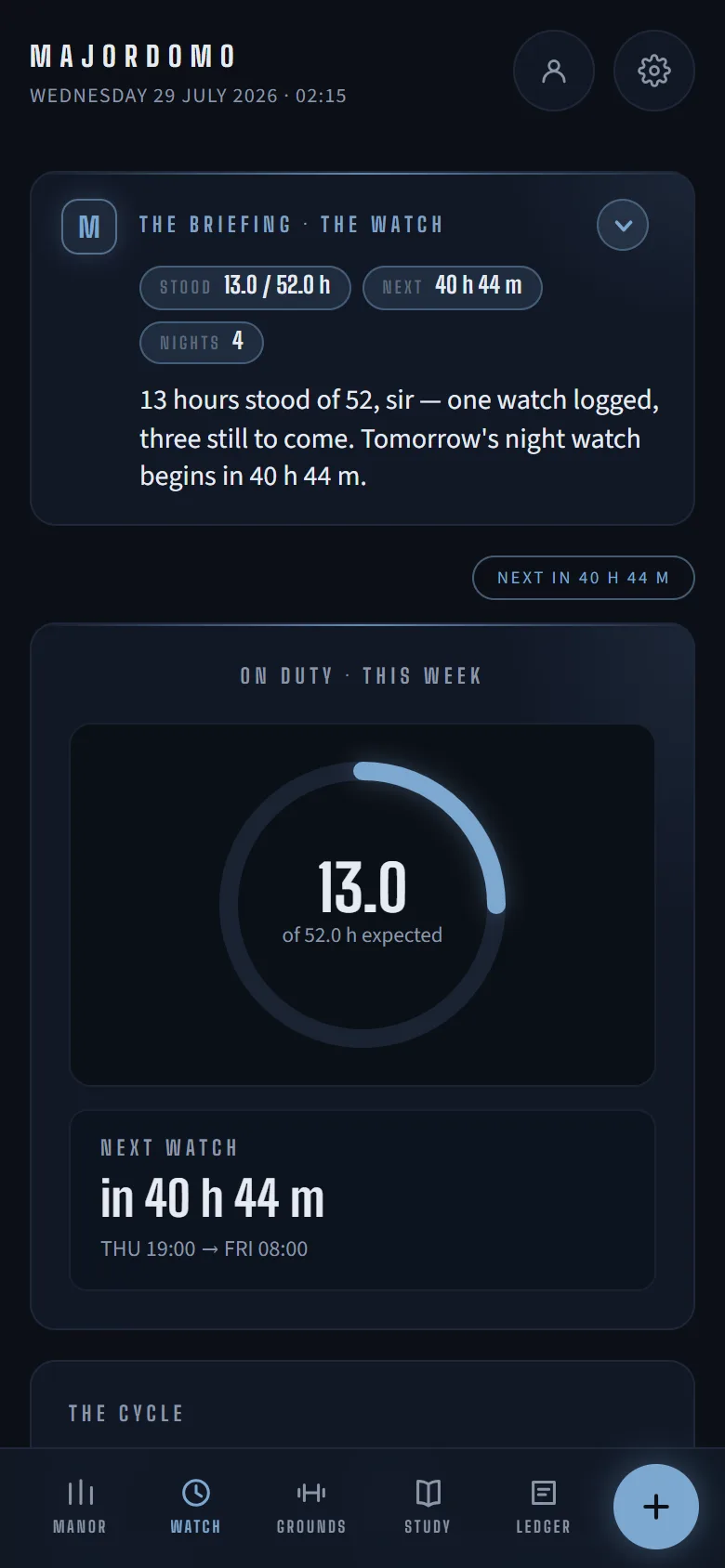
Save the shifts you actually work — nights, doubles, ones that end the next morning — then put them on your week in one tap. A night shift pencils in the sleep that follows, and the rest of the app plans around the hours you were up.
ASK “WHAT IF” BEFORE YOU COMMIT
Try a different week before you commit to it. Drag things around and it shows you exactly what changes — hours gained, sleep lost, training kept. Keep the new version or throw it away; nothing is saved until you say so. No calendar on your phone can do this.
A BRIEFING, WRITTEN FOR YOUR DAY
Most apps send you the same notification at 07:00 whatever your day looks like. Majordomo reads your whole week and writes you a short summary instead — a line about your shift, one about training, one about the exam, one about money — for the day you are actually having. It is waiting when you open the app: nothing is sent, nothing buzzes. It can only read that way because every part of the app sits on one calendar.
On tonight, 19:00–08:00. Legs are recovered; the gym fits at 15:00. I’d leave Thursday alone, sir.
Every calendar I tried assumed my week looked like everyone else’s. It doesn’t — training, study and rest have to fit around hours I don’t choose. So I’m building the one that runs my week instead. If your schedule fights back, this is for you.
— Ido, building Majordomo in public
ANTICIPATED QUESTIONS
When is the beta?
It is open now. Press the button and you are in — free for as long as the beta runs.
What will it cost?
The beta costs nothing. If paid plans come, they will be announced in the app with notice, and nothing is charged without your explicit agreement at the time.
What platforms?
Any modern browser — nothing to download. Add it to your home screen and it opens like an app. App stores follow when demand justifies them.
What about my data?
Yours. It is stored on your own device, you can export all of it at any time, there are no ads and nothing is sold. Signing in is optional — it exists only so your own devices share one copy.
Why “Majordomo”?
It is the old word for the person who runs a large household — the one who handles everything so the owner can get on with their own work. That is the whole idea of the app, in one word.